
Key Takeaways:
- Liquid Glass visual design introduces a translucent, dynamic UI across iOS, iPadOS, macOS, watchOS, and tvOS—marking the most significant redesign in a decade.
- Apple Intelligence delivers on‑device Live Translation in Messages, Phone, and FaceTime, preserving privacy while translating real-time conversations.
- New features including live translation during calls, cleaner app layouts, and redesigned controls make everyday tasks feel more streamlined and better suited to individual use over time.
Apple has introduced iOS 26, marking its first complete interface overhaul in over a decade.
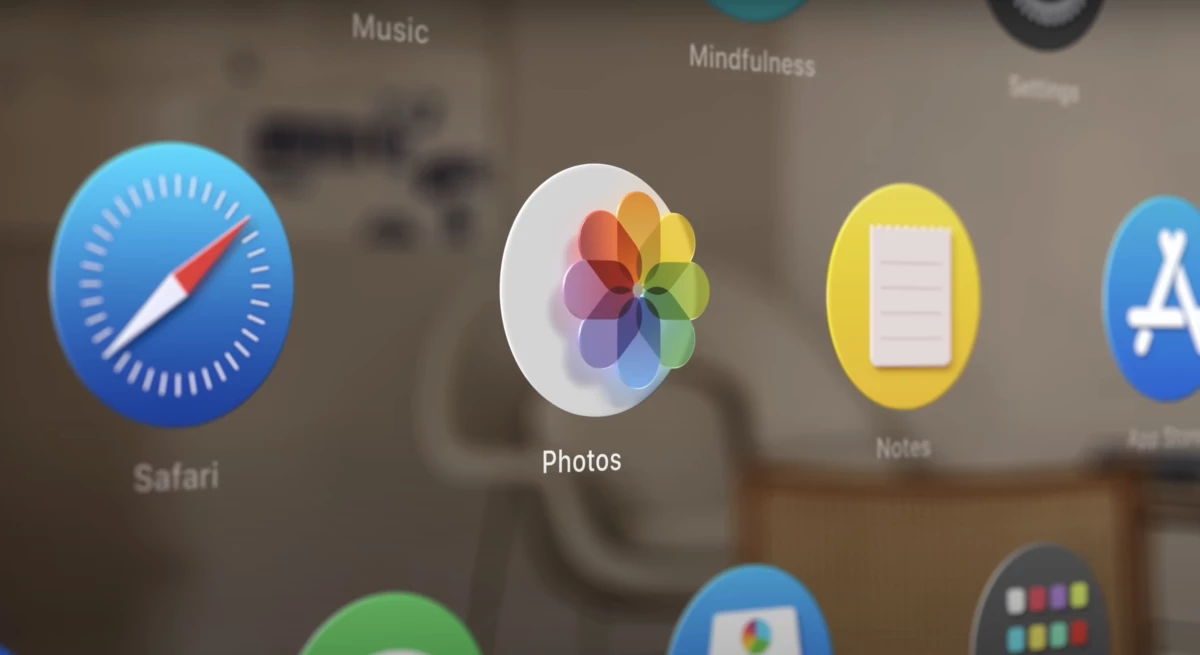
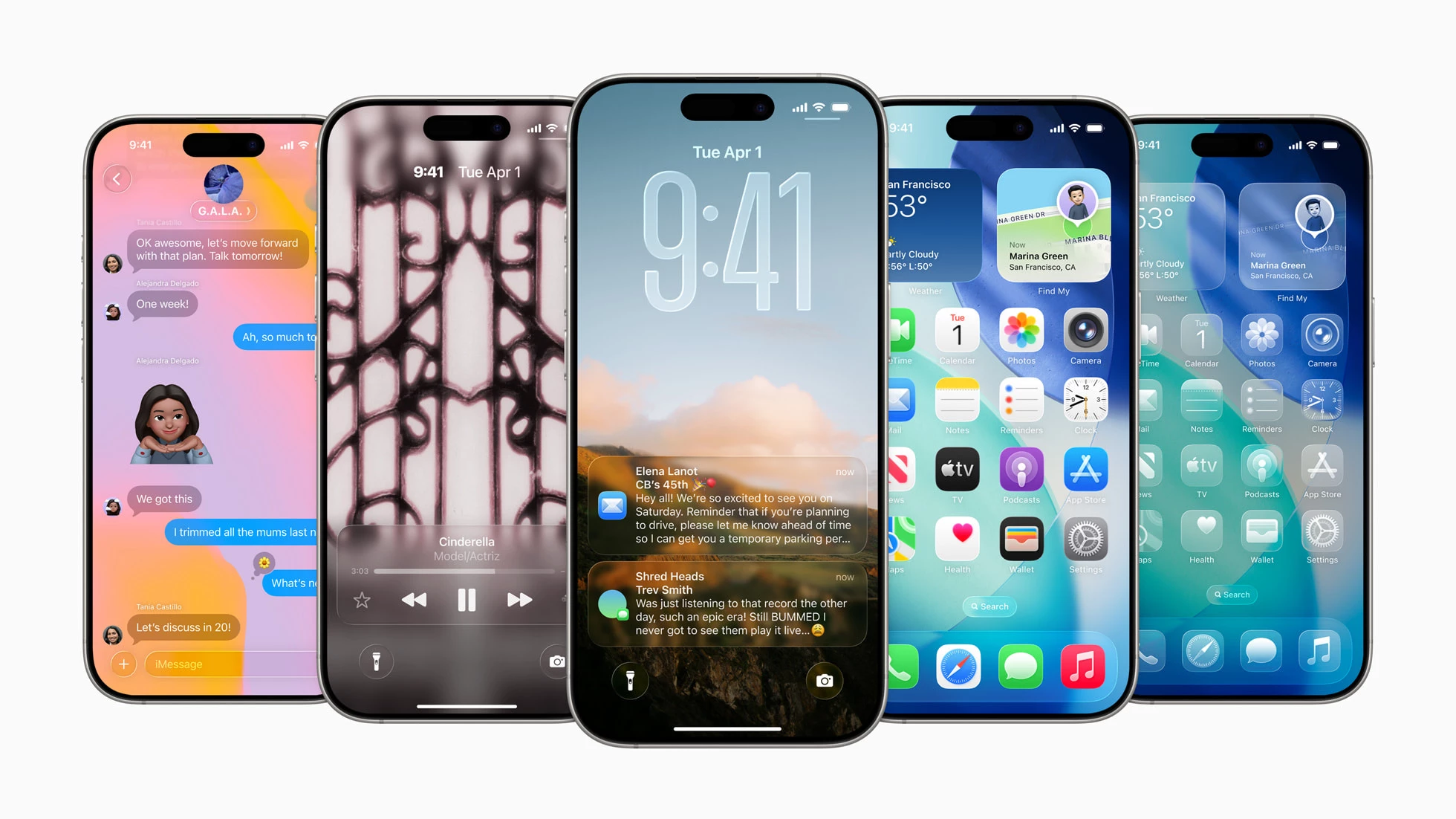
The update, unveiled on the first day of WWDC25, brings a transparent design called Liquid Glass across iPhones, iPads, Macs, and other devices.
This visual refresh adds depth and light responsiveness to app icons, widgets, and interface elements without straying from the familiar structure users recognize.
Menus, controls, and animations now respond more precisely to touch, supporting both light and dark appearances and a new translucent “all-clear” mode.
The design changes go deeper than aesthetics.
Apps such as Camera, Safari, and Music have been restructured to minimize distractions. Key updates include:
- A dynamic lock screen that adapts to photos, notifications, and widgets in real time
- A floating tab bar in Safari that shrinks as you scroll, keeping the view clean while maintaining access to core functions
- Simplified Camera settings, now grouped for quicker access and easier switching between modes
- Enhanced Apple Music visuals and playback, including animated album art, lyric translation, and smoother track transitions through timing and beat matching
iOS 26 also brings a major revision to how users interact across apps and services.
Apple Intelligence, which runs entirely on-device, supports real-time translation in Messages, FaceTime, and calls.
Users hear and see translations in their chosen language during conversations, with no internet connection required.
It also helps users search content on their screen, extract event details, and scan product images directly from screenshots.
Live Translation in iOS 26 will be huge!#WWDC25pic.twitter.com/FfW5pMjUnL
— Brandon Butch (@BrandonButch) June 9, 2025
The Phone and Messages apps have also been redesigned with new features that cut down on unwanted interruptions:
- Call Screening prompts unknown callers to state their name and reason before the phone rings
- Hold Assist monitors calls placed on hold and notifies users when a live person is available
- Messages from unknown numbers are sorted into a separate folder to keep the inbox clear
- Group chats now support custom backgrounds, in-chat polls, and Apple Cash transfers for a more structured messaging experience
Meanwhile, CarPlay receives updated widgets, new message features, and redesigned alerts that maintain visibility for directions and important driving information.
Apple just revealed the new CarPlay interface with iOS 26. No more incoming calls overlapping the map screen!
— MotorBeam (@MotorBeam) June 10, 2025
How do you like the new Liquid Glass design? pic.twitter.com/zkwC3uBNx8
The new CarPlay Ultra experience also enables full-screen controls for navigation, media, and even climate settings, creating continuity across dashboard screens.
Apple also introduced a new Games app that serves as a central hub for playing, tracking, and discovering games.
With tabs for Apple Arcade, multiplayer sessions, and in-game events, it gives players a single place to stay updated and connected.
Music and Wallet apps include new tools for travel, like real-time boarding pass updates and flight sharing, while Maps learns a user’s preferred routes and provides smarter daily suggestions.
Social Media Reacts to iOS 26's Redesign
These updates coincide with Apple’s decision to align version numbers across its platforms with calendar years, explaining the jump from iOS 18 to iOS 26.
This marks a coordinated push to unify the design language, features, and versioning across all Apple software releases, simplifying how users and developers track and adopt updates.
And as expected, the redesign has sparked a wide range of reactions across social platforms.
Some users are impressed with the aesthetic updates and find the animations visually engaging.
Many, on the other hand, have raised concerns about readability and usability, particularly in low-contrast settings.
every day we stray farther off steve’s light.. #ios26pic.twitter.com/NrfdCXiPt3
— Mert Erdir (@merterdir) June 10, 2025
Comments comparing the new interface to past operating systems are common, with many drawing parallels to earlier design eras.
Some even compared it to Windows Vista.
As feedback continues to circulate, the redesign is proving to be one of Apple’s most talked-about software changes in years.
Our Take: Is Apple Turning UX Into a Retention Strategy?
Apple isn’t just updating how the iPhone looks; it’s refining how it feels to use.
Every detail in iOS 26, from how screens respond to touch to the way apps fade in and out, seems designed to make daily use more fluid and less intrusive.
Apple is prioritizing consistency. The experience remains familiar while introducing small adjustments that improve response and reduce friction.
Still, not everyone is convinced.
iOS users in 26 #iOS26pic.twitter.com/S5oCZGgXgb
— Attila (@ablenessy) June 9, 2025
These negative reactions reflect the challenge of balancing design ambition with accessibility.
For product and design teams, the lesson here is twofold: refine with purpose, but never lose sight of how changes affect real-world usability.
Meanwhile, the tech giant recently launched this year's "Mac to School" campaign, which includes three short ads that highlight how its devices help students ace their assignments.
Build beautiful, functional iPhone apps with expert development partners. Find top iOS app development companies here: