
Getting hacked is a lot like getting an STD. It's embarrassing, painful, you don't want to talk openly about it, and it causes you to lose trust in other people.
If you're in the cybersecurity or web development business, you already know that sites and systems get hacked all the time.
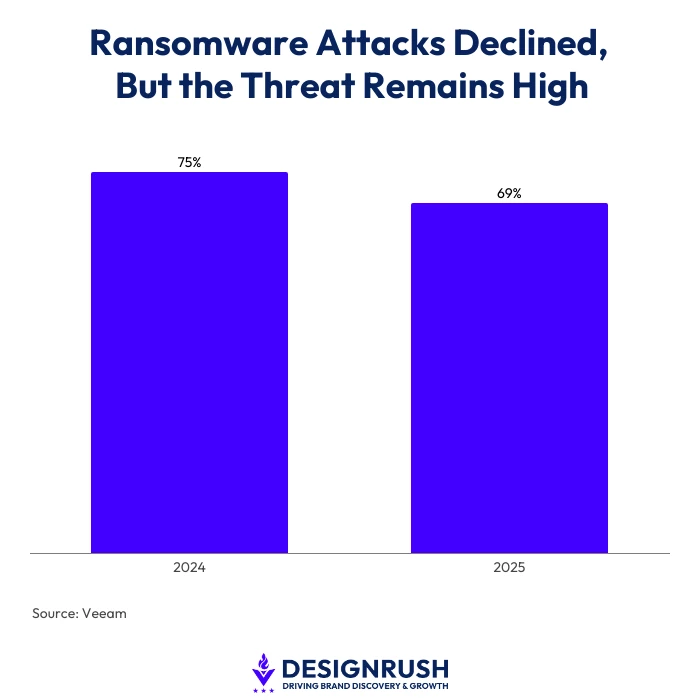
If that sounds like an exaggeration, it's not. Veeam found that while ransomware attacks have started to decline slightly, they're still affecting 69% of businesses in 2025.
And while that’s down slightly from 75% in 2024, it lines up pretty closely with what my team and I see every day.
With the rise of inexpensive AI, especially when you can create a local model on a server that doesn't rely on ChatGPT, Claude or Gemini, hackers are able to automate and scale attacks quicker and faster than ever before.
It's not just me saying this, either. Veeam adds that 43% of organizations say AI adoption is outpacing their ability to secure data and AI models.
This proves that attackers are getting faster, and unfortunately, many businesses are struggling to keep up.
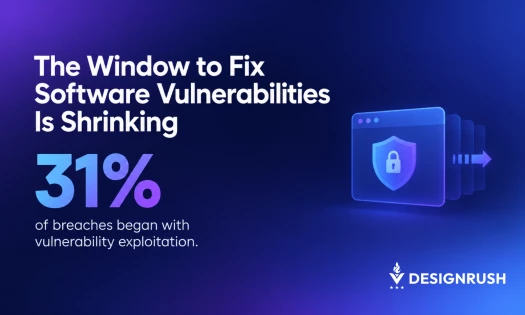
Vulnerabilities in software that would have gone undetected for years are found faster, and most people are attacked when systems aren't yet patched or fixed.
Since starting Customer Paradigm in 2002, my team and I have completed more than 30,750 projects in the web development and marketing space. We’ve seen a lot and been on the front lines fixing sites.
Our team has worked closely with the FBI and Secret Service when credit cards were skimmed from sites.
We also helped provide forensic analysis and voice recordings that led to the conviction of a person calling in bomb threats to churches, synagogues, schools and businesses.
In the past two weeks alone, we've helped an eCommerce site remove code that saves and sends credit card numbers to another site where they can be sold and used.
We've restored a WordPress site that had its content injected with malware in an attempt to infect users who visit the site.
We've also dealt with daily AI-powered cyber attacks, knocking on clients’ servers and trying to get in.
Why Website Backups Matter More Than Ever During AI Cyber Attacks
Most companies feel pretty confident they'll recover after an attack, but the numbers prove otherwise.
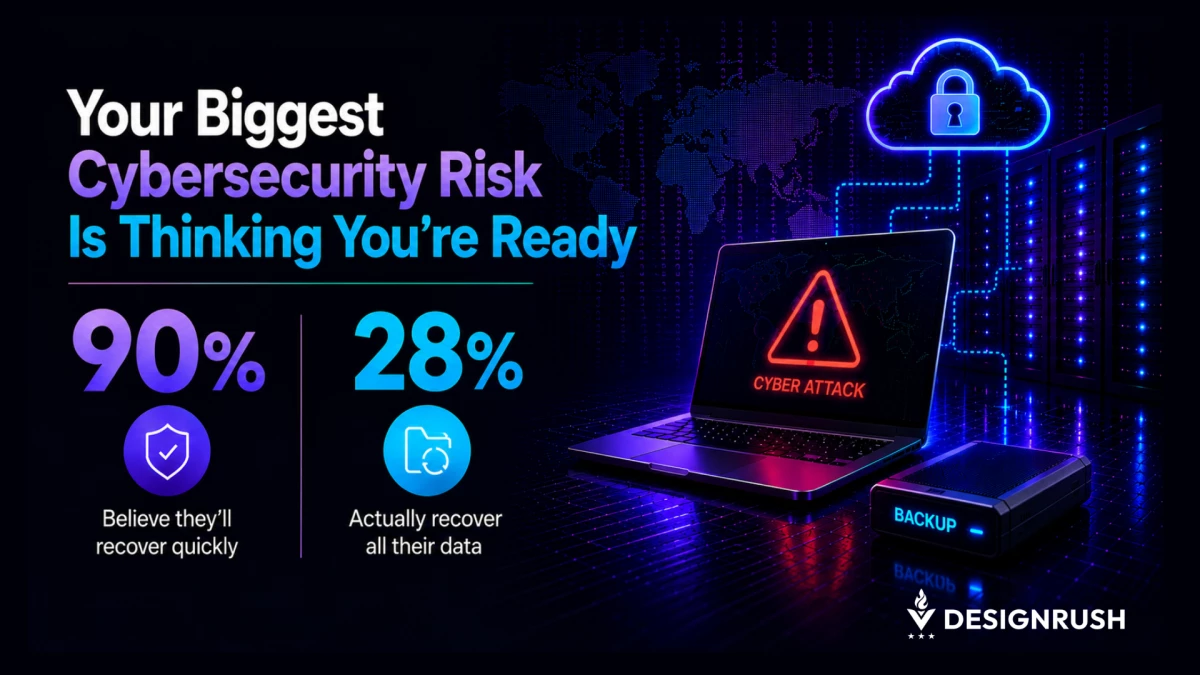
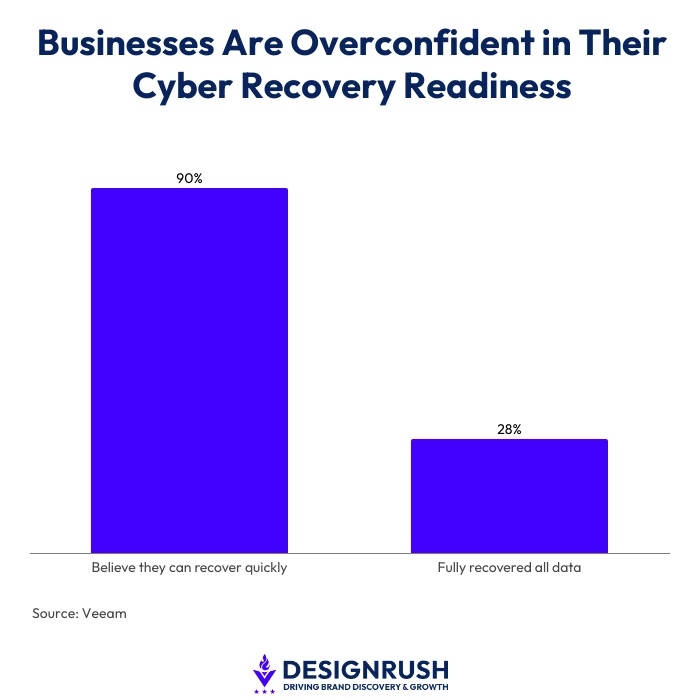
Veeam found that even though 90% of security leaders believe that they can recover quickly after a cyberattack, only 28% actually fully recovered all of their data.
That's exactly why the first question I ask when clients calls for help isn't, "how did it happen?" Instead, I ask, "what's the most recent backup you have of that system?"
If you have a good backup of the files and database, it's easy to be back up and running quickly. You simply delete the bad stuff, replace it with the good backup files, and then figure out where the attack came from and prevent it from happening again.
If you don't have a recent backup, however, it's going to be a lot more expensive to recover. Think days or weeks. And even if you have a recent backup, what if the backup was also affected?
Al Jazeera delves into how the rapid proliferation of AI models like ChatGPT and others, has created powerful new tools that attackers use to target victims:
What Professional Photography Taught Me About Backup Strategies
I've also worked extensively as a professional photographer and this experience has taught me a valuable lesson in why it's critical to have a backup to restore and fix systems that were hacked.
As a professional photographer, I was hired to capture once-in-a-lifetime events. Think of a marriage proposal, the bride walking down the aisle. Last family photos with Aunt Gertrude, who held on to life to see her first grandchild being born.
A high school kid scoring the winning point in a rugby game in a state championship, during a raging snowstorm. A portrait of a mom with cancer, surrounded by her kids, knowing it's going to be their last Christmas together.
These are photos that you can't just do-over. They are moments in time that are captured and precious and form core memories. They are the photos that are printed, framed and hung on the wall, and carefully wrapped when someone moves to a different house in a new city.
So what does all of that have to do with AI-powered cyber attacks? It's about redundancy and backups. Avoiding single points of failure in data and systems. Being paranoid, and thinking through what can happen.
RevisionTown tells us how cybercriminals use AI-powered tools to make cyberattacks more convincing, scalable, personalized, and difficult to detect:
How a Safari Reinforced the Importance of Redundancy
We recently took a family trip to South Africa, Zimbabwe, Zambia and Botswana. One of my favorite things to do is photograph wildlife. And oh, did we see some amazing elephants, hippo, rhino, lion, leopard, wildebeest, buffalo, zebra and giraffe.
During the trip, I took 50,610 images on my professional camera equipment. How did I make sure not to lose a single image during the trip? I applied the same production-level backup strategy that I always use.
At one of the safari lodges, I met a despondent man from Germany who had his DSLR's screen break during the trip, and now his camera and lenses were pretty worthless.
Here there's no store to buy a new camera, and no Amazon Prime to deliver overnight. His one camera was a single point of failure, and he was upset because he had spent so much money on the trip, only to not be able to capture the amazing wildlife.
This is one of the many reasons I believe in the Navy Seal credo of two is one,one is none.
As experts in their field, they’re hard on their equipment, which makes sense when you figure they are jumping out planes, swimming in cold ocean water and getting shot at.
So if you have one critical piece of equipment like a radio, and it breaks, then you're in big trouble. So you bring two, knowing that the first one could break, and then you have a backup ready to go.
For my trip, I brought three main camera bodies. Two Canon R3 mirrorless cameras, and an older 1D Mark II DSLR. These cameras are professional tools and built like tanks.
If one camera had issues, I had two more right there, ready to go. Or if one of the kids wanted to use it, I could hand it to them.
The other thing that these cameras all have in common is that they all have dual memory card slots, so when you are taking a photo of a baby lion cub playing with his brother, the camera writes the photo to both cards at the same time.
So without doing anything, you're already creating a backup of the image, right in the camera.
Insight Jam’s panel discussion brought together data protection experts to discuss how to future-proof backup solutions for AI data protection:
Why the 3-2-1 Backup Rule Still Works Against Modern Cyber Threats
Although it's rare, I have had memory card failures. In one instance, I was guiding a trip in a remote desert in the Middle East, when a sudden rainstorm soaked everyone in our group.
At the time I was using a Canon 50D, which only had one memory card slot, along with a 5D Mark III that did have dual memory slots.
A little moisture got into the 50D camera, and while I was able to recover some of the images using a memory card recovery software system, not all of the images were able to be saved.
Fast forward back to our trip to South Africa, when we returned back to the safari lodge after the game drive, I took out one of the two memory cards from each camera, and downloaded the photos onto my laptop.
Now I had three copies of each image backed up. So if the camera broke, got lost, stolen, or even eaten by a hippo, I still had the photos on my computer.
I also brought two USB backup drives along. So shortly after downloading them onto the computer, I backed up the images onto each drive. We’re now up to five copies of all images.
Each drive was kept physically apart as well. One is an armored backup drive that is water, heat and shock resistant that went into my checked bag.
From the trip, I had about 1,471 final processed images. Lots of great family photos, dancing on tables, amazing hikes, bushman cave art, sunsets, and lots of animals.
We stayed at many different places, and some had decent Wi-Fi. When I was able to, I backed up the final images to the cloud, and also imported them into Apple's Photo program. This makes for seven backup copies of the final images.
Finally, I took the 1,471 final images and backed them up onto two different SD memory cards - for a total of nine backup copies of the final images, and was able to carry the SD cards in different bags as well.
Now, is this overkill for a family vacation? Probably for most people. But if you ask a couple of professional photographers, they'd likely shrug and say that it's pretty standard. Some may even suggest that more backups may be even better.
I know I just went off on a big tangent about photography backups, but I think it's easier to picture (pun intended) this process than to talk about a boring eCommerce site's backup process.
But essentially, it's the same philosophy. If you're paranoid, like me, and you put a backup system into place like this, you're going to be able to recover from a cyber attack quickly and easily.
YouTuber, Paul Dittus, breaks down the 3-2-1 backup system:
The 3-2-1 Backup Strategy Every Business Should Follow
Backing up is the first step. But as a rule of thumb, I always use the 3-2-1 process. This includes:
- Three backup files (at least) for any critical system.
- Two different geographic locations (local + cloud), so that if items are stolen, catch fire, or eaten by a lion, you're still fine.
- One cold storage, offline copy, so that if your computer and cloud systems are attacked, an attacker can't get into this backup file.
How to Recover Faster From AI-Powered Cyber Attacks
Bringing it back to cybersecurity and the STD analogy, my advice is this.
Use protection to cover yourself, but know that attacks and hacks happen all the time.
Try not to take it personally if you're attacked. It's a lot more common than you think and they were not likely targeting you and your company specifically.
More often than not, it was that an AI system scanned your site, saw that a patch wasn't applied, and broke in through a known vulnerability. It sucks for sure.
In my opinion, the difference between success and failure starts with a solid data backup strategy. Start there and you're going to have a way to get your systems back up and running with minimal downtime. From there, add in regular patches, security monitoring and more.
The safari reminded me that nature doesn't care how much you've planned your trip. Equipment breaks, weather changes and unexpected things happen. Cybersecurity is no different.
AI isn't making businesses vulnerable. It's exposing the ones that already are.
A good backup won't stop an attack, but it can make the difference between a bad day and a very expensive one.